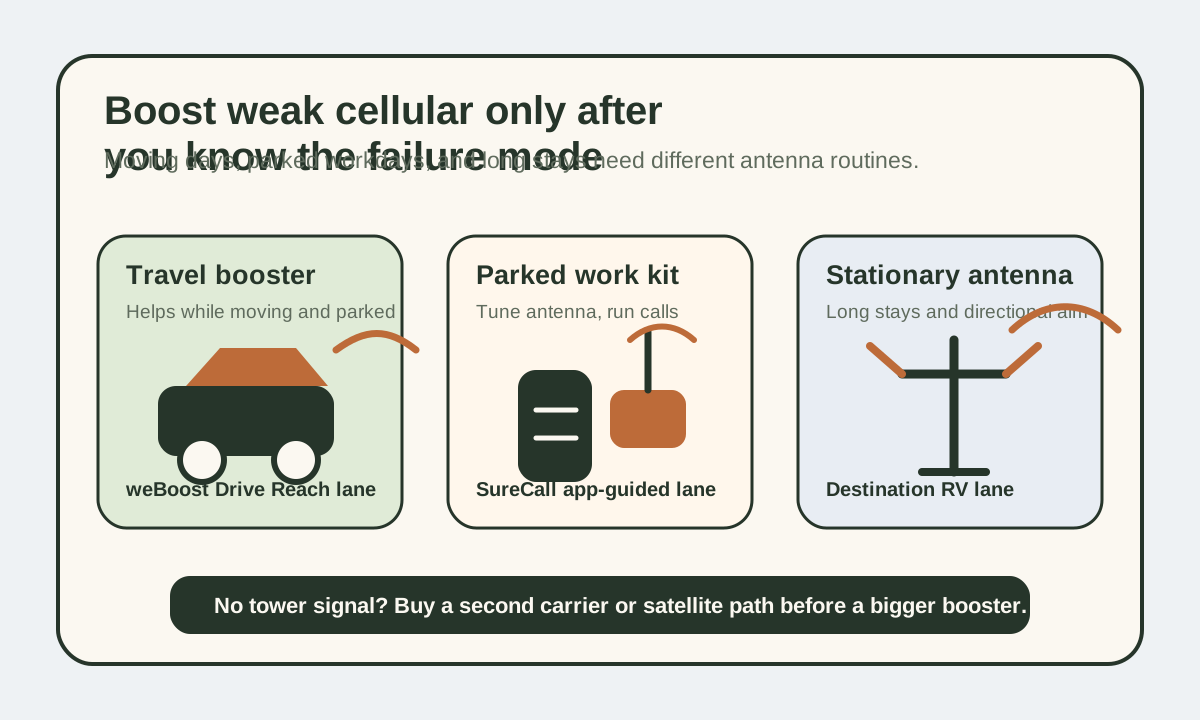
A cell booster should be part of the larger internet for RVers plan, not a magic box bought in isolation. If you are still choosing carriers, hotspot plans, or satellite backup, start with the internet backup planner before deciding a booster is the missing piece.
Shortlist first
Use this to find the winner first, then compare the alternates only if their tradeoffs fit your rig better.
Shortlist labels are editorial recommendations, not popularity rankings. Fit score still matters, but the label tells you why each pick made this guide.
How fit scores work
Scores are editorial fit scores, not user-review averages. The rubric weighs stated RV-use fit, verified specs and limits, whole-rig friction, visible downsides or support risk, and value for the specific job in this guide. Read the full scoring rubric.
If you need one baseline option before reading the full guide, start with weBoost Drive Reach RV II for one booster for driving and camp.
The first option to evaluate if you want the strongest all-around fit for this guide. Check the other cards only if their award label matches your constraint better.
| Product | Why shortlisted | Fit score | Key spec | Best for | Actions |
|---|---|---|---|---|---|
| weBoost Drive Reach RV II Links to: weBoost Drive Reach RV II | Best overall The first option to evaluate if you want the strongest all-around fit for this guide. | 4.7 / 5 fit scoreScore rubric | $549.99 | <20W avg | 50 dB max gain | 2-year warranty | One booster for driving and camp | Read weBoost Drive Reach RV II notesCheck listing at weBoostMerchant link - direct listing. Verify price and specs at weBoost. |
| SureCall Fusion2Go XR RV Links to: SureCall Fusion2Go XR RV | Also great A strong alternate when its specific tradeoffs fit your rig better than the winner. | 4.7 / 5 fit score | $579.99 | 1.43 lb | 50 dB max gain | 3-year warranty | App-guided parked-work setup | Read SureCall Fusion2Go XR RV notesCheck listing at SureCallMerchant link - direct listing. Verify price and specs at SureCall. |
| weBoost Destination RV Links to: weBoost Destination RV | Also great A strong alternate when its specific tradeoffs fit your rig better than the winner. | 4.6 / 5 fit score | $649.99 | 65 dB max gain | 24-ft telescoping pole | 2-year warranty | Longer parked stays | Read weBoost Destination RV notesCheck listing at weBoostMerchant link - direct listing. Verify price and specs at weBoost. |
Official booster checks
Cell boosters are regulated signal-amplification tools, not internet magic. Verify the current kit, antenna, power, and setup requirements before buying around a campground rumor.
Pre-arrival checks
Prove there is signal to boost
If the carrier is absent, a booster cannot create service. Test phones and hotspots outside before assuming hardware will fix the site.
Separate moving from parked use
A travel-day booster, app-guided camp booster, and stationary directional kit solve different problems.
Budget power and setup time
Even a small booster draw matters on workdays, and a pole or antenna routine only helps if you will actually deploy it.
These are exact booster models, not vague booster categories
Once the conversation moves past "should I get a booster," RV shoppers stop comparing an idea and start comparing real kits. That is where the friction lives.
The booster that looks perfect on a feature grid may still be wrong if:
- you drive more than you stay parked
- the RV interior needs broader multi-device coverage
- you do not want to set up a telescoping pole at camp
- the power budget is already tight on workdays
That is why this guide is built around exact current models instead of generic "vehicle booster" and "RV booster" language.
Price note
Prices below were checked against official manufacturer pages on April 21, 2026. Sale pricing moves fast, so use these numbers as a comparison point rather than a forever promise.
What actually matters in an RV cell booster
Use mode matters first
Some boosters are built to help while driving and while parked. Others are strongest when the RV is set up in one place and you can spend a few minutes on antenna placement.
Weak-signal improvement is not the same thing as making service appear
If there is no meaningful tower connection in the area, the booster cannot invent one. In that situation, a layered stack with another carrier or Starlink usually matters more.
That is where backup internet options for RVers and Starlink vs. hotspot for RVers become the better next decision. A second path can matter more than amplifying a weak first path.
Installation tolerance changes the "best" pick
The right booster is not just the one with the most gain. It is the one you are willing to install correctly and actually keep deployed.
Test the failure before buying hardware
The most useful cell-booster test costs nothing.
When you arrive at a weak-signal campsite, take the phone or hotspot outside the RV, stand away from the metal shell, and test the connection in a few places. Try the roof ladder side, the picnic-table side, the windshield area, and the spot where an outside antenna could actually mount. If the signal improves outside or at height, a booster may have a real job. If the carrier still has no meaningful service, the better answer is usually a second carrier, Starlink, or a different campsite.
That test matters because RVs are small Faraday-cage-adjacent boxes. A phone inside a metal-sided or foil-insulated coach can struggle even when a usable signal exists just outside. In that situation, an outside antenna and inside rebroadcast can make the connection feel dramatically better. But the booster is amplifying a signal that already exists.
The second test is carrier diversity. If Verizon is barely present and T-Mobile is strong, a booster may be less valuable than the right plan or hotspot. If every cellular carrier is absent, the booster becomes an expensive reminder that no-service zones need a non-cellular fallback.
What gain, antenna placement, and power draw mean in an RV
Maximum gain is useful, but it is not the whole decision.
The weBoost Drive Reach RV II and SureCall Fusion2Go XR RV sit in the 50 dB mobile-booster lane. That is the regulatory ceiling for vehicle boosters, and it is why those kits are allowed to make sense while driving or in a more mobile RV rhythm. They are designed to be convenient enough that people will actually keep using them.
The weBoost Destination RV is a parked kit with a stronger 65 dB gain figure and a directional setup. That extra capability only pays off when the RV is staying put long enough to aim the antenna, raise the pole, and leave the system in place. A 65 dB parked system is not automatically better for a one-night travel stop if the setup routine is too much work.
Power draw deserves more attention than most booster reviews give it. A sub-20W booster running through an eight-hour workday can use up to about 160Wh before inverter or power-supply losses. On a 12V battery bank, that is roughly 13Ah. A sub-12W booster is closer to 96Wh, or about 8Ah. Those numbers are not huge, but they sit beside router draw, laptop charging, Starlink draw if present, furnace fan, lights, fridge controls, and inverter overhead.
For a remote worker on a 100Ah battery, that hidden workday load matters. For a 400Ah lithium bank with roof solar, it may be background noise. The same booster can be modest or meaningful depending on the rest of the system.
Which trip pattern fits which booster?
Choose the Drive Reach RV II when travel days and short stays are the norm.
This is the least specialized pick and that is its strength. It can help in the vehicle-use case, does not require a tall stationary setup, and fits the RVer who wants one mainstream kit to support phones and hotspots across a moving route. It is a good answer for people who often relocate, use the RV as a travel platform, and do not want every connectivity decision to involve setting up camp hardware.
Choose the SureCall Fusion2Go XR RV when the RV is a work platform and setup guidance matters.
The app-guided positioning story is useful because antenna placement is where many boosters win or lose. The product page also publishes the kind of hard specs that remote workers can plan around: dimensions, weight, cable length, power draw, and warranty. That makes it easier to treat the booster like infrastructure rather than a vague signal gadget.
Choose the Destination RV when the campsite is more like a temporary house.
The stationary kit makes the most sense for longer campground stays, seasonal sites, event camping, or repeated work stops where the directional setup can stay put. It is less attractive for nomadic overnight rhythm. A pole, antenna aim, and 120V stationary routine are worth it only when the improved interior signal will be used long enough.
Booster versus Starlink versus second carrier
A booster is usually the right spend when one carrier is present but marginal and you already have a plan that meets your data needs.
A second carrier is usually the right spend when coverage varies by region and the weak-signal problem moves between networks. A Verizon-heavy route and a T-Mobile-heavy route are different internet plans. Adding a second carrier can be more valuable than amplifying the wrong one.
Starlink is usually the right spend when no-service camps are common, data use is high, or work cannot depend on a single cellular tower. It costs more power and has its own sky-view problems, but it changes the failure mode. A booster tries to improve cellular. Starlink avoids cellular entirely.
The best remote-work stack often uses all three ideas in layers: primary cellular plan, alternate carrier or hotspot, and satellite or campground Wi-Fi fallback depending on route and job risk. The cell booster belongs in that stack only when it clearly improves the cellular layer.
Setup mistakes that make boosters look worse than they are
The first mistake is poor antenna separation. If the outside and inside antennas are too close or poorly positioned, the booster can oscillate or reduce power. In a small RV, placement is not optional. It is the install.
The second mistake is assuming the inside coverage area will magically fill the whole coach. Interior signal strength depends on antenna placement, booster output, RV construction, and where the devices live. A hotspot sitting near the inside antenna may perform much better than a phone in the back bedroom.
The third mistake is leaving the outside antenna too low. Height and line of sight matter. Even a good kit can disappoint if the antenna is mounted where the RV body, trees, nearby rigs, or terrain block the path to the tower.
The fourth mistake is buying a booster before understanding data limits. A stronger signal does not fix throttling, deprioritization, hotspot caps, or a plan that does not allow enough data for work.
When a booster disappoints, the cause is often not the amplifier. It is an unclear setup goal, weak carrier choice, bad antenna placement, no-service terrain, or unrealistic data expectations.
Compare
Compare fast
Use one comparison matrix to scan the practical differences. Small screens stack each row; wider screens keep the first column pinned.
| Spec | weBoost Drive Reach RV II | SureCall Fusion2Go XR RV | weBoost Destination RV |
|---|---|---|---|
| Price checked | $549.99 | $579.99 | $649.99 |
| Best use mode | Driving plus parked camp use | Parked RV use with guided setup | Parked RV only |
| Maximum gain | 50 dB | 50 dB | 65 dB |
| Power draw | <20W average | <12W | 120V stationary kit |
| Dimensions | In-vehicle amplifier kit | 5.625 x 4 x 1.125 in | Indoor amplifier + outdoor directional antenna |
| Weight | Vehicle kit weight not listed on product page | 1.43 lb | Pole-and-antenna stationary kit |
| Warranty | 2 years | 3 years | 2 years |
| Best fit | Frequent movers with hotspot-first travel | Remote-work RVers wanting app-guided tuning | Longer campground stays with repeat setup time |
The shortlist
- Latest product check
- Specs, fit notes, and current listing context were reviewed April 21, 2026.
- Evidence label
- Spec-verified: Score is based on current published specs, official documentation, pricing context, compatibility, and RV-use fit analysis.
- Price context
- Pricing and availability can change, so confirm the merchant listing before buying.
Product facts last checked April 21, 2026
weBoost Drive Reach RV II
Editorial fit score
Drive Reach RV II is the easiest top-line recommendation for RVers who want one booster to stay relevant while rolling and while parked. weBoost positions it as a multi-purpose in-vehicle booster for RV travel, with up to 50 dB gain, average power consumption under 20 watts, and support for current 4G, 5G, and LTE networks.
Review verdict
- Short verdict
- The cleanest all-around recommendation when you want one mainstream booster that still makes sense on driving days and setup days.
- Evidence used
- Spec-verified
- Score is based on current published specs, official documentation, pricing context, compatibility, and RV-use fit analysis.
- Why it made the shortlist
- Best overall
- The first option to evaluate if you want the strongest all-around fit for this guide.
- Best if
- Driving plus camp use
- Why not this product?
- Still not the right fix for true no-service camping
- Product check date
- Specs, fit notes, and current listing context were last checked April 21, 2026.
Key specs
- Price checked
- $549.99
- Max gain
- 50 dB
- Power draw
- <20W average
- Use mode
- Driving and parked use
Score basis
Score is based on current published specs, official documentation, pricing context, compatibility, and RV-use fit analysis. These are editorial fit scores, not customer-review averages. Read the scoring rubric.
- RV-use fit
- 30% weight
- Verified specs and limits
- 25% weight
- Whole-rig friction
- 20% weight
- Downsides and support risk
- 15% weight
- Value for the job
- 10% weight
How directly the product solves the specific off-grid RV job in this guide.
Capacity, dimensions, electrical limits, protection claims, and compatibility constraints we can verify from current sources.
Install effort, storage, wiring, service access, weight, refill workflow, or daily-use hassle.
Known tradeoffs, unclear claims, warranty coverage, support risk, and wrong-buyer failure modes.
Whether the price makes sense after fit, specs, and tradeoffs still hold.
Testing limits
- This is not a hands-on endurance or lab test unless the review explicitly says so.
- Specs, pricing, bundles, and availability can change, so confirm the current listing and manual before buying.
Reasons to buy
- Best one-kit fit for RVers who move often and still want campsite help
- Official page keeps the power draw and gain expectations clear
- No need to commit to a parked-only directional setup
Watch-outs
- Still not the right fix for true no-service camping
- Average power draw is meaningful if the office stack is already tight
- Price is higher than simpler booster kits
Whole-bank math
Battery impact
Roughly 13Ah over an 8-hour day
Based on the official sub-20W average power figure on a 12V system.
Best camp pattern
Frequent moves and shorter setup windows
Use it when you still want a booster to help without building a whole camp-specific antenna ritual.
Where it wins
Existing weak signal
The value is in pulling more use from a marginal carrier, not manufacturing service where none exists.
Related parts and setup checks
Internet backup planner
Use this before buying to confirm that weak-signal improvement is really the missing layer, not plan limits or no-service routes.
Open Internet backup plannerInternet stack guide
Helpful if you are deciding whether the booster is the primary answer or just one lane in a broader setup.
Open Internet stack guideBackup internet guide
A booster works best when the rest of the stack already has a sane fallback story.
Open Backup internet guideCheck current listing
weBoost Drive Reach RV II
Use the listing after the fit notes make sense for your rig. Pricing and availability can change, so verify the merchant page before buying.
- Latest product check
- Specs, fit notes, and current listing context were reviewed April 21, 2026.
- Evidence label
- Spec-verified: Score is based on current published specs, official documentation, pricing context, compatibility, and RV-use fit analysis.
- Price context
- Pricing and availability can change, so confirm the merchant listing before buying.
Product facts last checked April 21, 2026
SureCall Fusion2Go XR RV
Editorial fit score
SureCall's Fusion2Go XR RV stands out because the official page is unusually specific: $579.99 pricing at review time, 50 dB maximum gain, under 12W power consumption, 1.43-pound amplifier weight, 40-foot exterior antenna cable, and a 3-year warranty. That makes it one of the easiest boosters to evaluate like a real piece of remote-work infrastructure instead of a vague promise.
Review verdict
- Short verdict
- The strongest fit when you want a parked-work RV booster with clearer hard specs, lighter hardware, and app-guided antenna placement.
- Evidence used
- Spec-verified
- Score is based on current published specs, official documentation, pricing context, compatibility, and RV-use fit analysis.
- Why it made the shortlist
- Also great
- A strong alternate when its specific tradeoffs fit your rig better than the winner.
- Best if
- App-guided parked-work RV use
- Why not this product?
- Value depends on whether you really stay parked long enough to tune it well
- Product check date
- Specs, fit notes, and current listing context were last checked April 21, 2026.
Key specs
- Price checked
- $579.99
- Max gain
- 50 dB
- Weight
- 1.43 lb
- Dimensions
- 5.625 x 4 x 1.125 in
Score basis
Score is based on current published specs, official documentation, pricing context, compatibility, and RV-use fit analysis. These are editorial fit scores, not customer-review averages. Read the scoring rubric.
- RV-use fit
- 30% weight
- Verified specs and limits
- 25% weight
- Whole-rig friction
- 20% weight
- Downsides and support risk
- 15% weight
- Value for the job
- 10% weight
How directly the product solves the specific off-grid RV job in this guide.
Capacity, dimensions, electrical limits, protection claims, and compatibility constraints we can verify from current sources.
Install effort, storage, wiring, service access, weight, refill workflow, or daily-use hassle.
Known tradeoffs, unclear claims, warranty coverage, support risk, and wrong-buyer failure modes.
Whether the price makes sense after fit, specs, and tradeoffs still hold.
Testing limits
- This is not a hands-on endurance or lab test unless the review explicitly says so.
- Specs, pricing, bundles, and availability can change, so confirm the current listing and manual before buying.
Reasons to buy
- Best published spec clarity in this comparison
- Lower power draw than the weBoost travel-focused kit
- App-guided antenna placement helps reduce setup guesswork
Watch-outs
- Value depends on whether you really stay parked long enough to tune it well
- Costs more than some buyers expect for a 50 dB mobile-booster lane
- Still solves weak signal, not nonexistent service
Whole-bank math
Battery impact
About 8Ah over an 8-hour day
Based on the official under-12W figure on a 12V system.
Why it fits work rigs
Lighter amp + guided placement
This is the best fit when you want the booster to feel like part of a repeatable call-day stack.
Best camp type
One- to several-night work stops
Better when the RV is staying put long enough for the setup to earn its keep.
Related parts and setup checks
Remote-work connectivity planner
Use this if your next step is deciding whether a booster belongs ahead of Starlink or behind it as a supporting lane.
Open Remote-work connectivity plannerHow to take video calls from an RV
A booster only pays off if the rest of the office setup supports the call-day workflow too.
Open How to take video calls from an RVBest mobile internet plans for RVers
Signal improvement does not fix the wrong plan or wrong carrier mix.
Open Best mobile internet plans for RVersCheck current listing
SureCall Fusion2Go XR RV
Use the listing after the fit notes make sense for your rig. Pricing and availability can change, so verify the merchant page before buying.
- Latest product check
- Specs, fit notes, and current listing context were reviewed April 21, 2026.
- Evidence label
- Spec-verified: Score is based on current published specs, official documentation, pricing context, compatibility, and RV-use fit analysis.
- Price context
- Pricing and availability can change, so confirm the merchant listing before buying.
Product facts last checked April 21, 2026
weBoost Destination RV
Editorial fit score
Destination RV is the stationary choice in this group. weBoost positions it around a stronger parked-only setup with 65 dB maximum gain, a 24-foot telescoping pole, and support for multiple devices on any U.S. network. It is the least casual option here, but that is also why it makes sense for longer stays.
Review verdict
- Short verdict
- The best choice when the RV is basically acting like a temporary house and you are willing to set up a stronger parked-only booster with a telescoping pole.
- Evidence used
- Spec-verified
- Score is based on current published specs, official documentation, pricing context, compatibility, and RV-use fit analysis.
- Why it made the shortlist
- Also great
- A strong alternate when its specific tradeoffs fit your rig better than the winner.
- Best if
- Longer parked stays
- Why not this product?
- Most setup-intensive option here
- Product check date
- Specs, fit notes, and current listing context were last checked April 21, 2026.
Key specs
- Price checked
- $649.99
- Max gain
- 65 dB
- Setup style
- Parked-only stationary kit
- Pole
- 24-ft telescoping pole
Score basis
Score is based on current published specs, official documentation, pricing context, compatibility, and RV-use fit analysis. These are editorial fit scores, not customer-review averages. Read the scoring rubric.
- RV-use fit
- 30% weight
- Verified specs and limits
- 25% weight
- Whole-rig friction
- 20% weight
- Downsides and support risk
- 15% weight
- Value for the job
- 10% weight
How directly the product solves the specific off-grid RV job in this guide.
Capacity, dimensions, electrical limits, protection claims, and compatibility constraints we can verify from current sources.
Install effort, storage, wiring, service access, weight, refill workflow, or daily-use hassle.
Known tradeoffs, unclear claims, warranty coverage, support risk, and wrong-buyer failure modes.
Whether the price makes sense after fit, specs, and tradeoffs still hold.
Testing limits
- This is not a hands-on endurance or lab test unless the review explicitly says so.
- Specs, pricing, bundles, and availability can change, so confirm the current listing and manual before buying.
Reasons to buy
- Strongest published gain in this comparison
- Built for real parked-RV coverage instead of split road/camp compromise
- 24-foot pole matters when surrounding terrain and obstructions are the real problem
Watch-outs
- Most setup-intensive option here
- Least attractive if you move often
- Higher price only pays off if the RV really stays parked long enough to benefit
Whole-bank math
Where it fits best
Longer stationary work stops
The extra setup effort is easiest to justify when the rig is functioning like a temporary office or base camp.
Tradeoff
Coverage over convenience
This is the pick when better antenna position matters more than fast daily teardown.
What to compare against
Second carrier or Starlink
If your actual route repeatedly reaches no-service zones, compare this spend against a totally different network path.
Related parts and setup checks
Camp setup workflow
This kind of booster makes more sense when you already treat camp setup as a repeatable system instead of an afterthought.
Open Camp setup workflowRemote-work stack planner
Use the planner to decide whether a stronger parked-only booster beats spending the same money on another carrier or satellite lane.
Open Remote-work stack plannerStarlink Mini guide
This is the right comparison when your weak-signal problem sometimes turns into no-signal territory.
Open Starlink Mini guideCheck current listing
weBoost Destination RV
Use the listing after the fit notes make sense for your rig. Pricing and availability can change, so verify the merchant page before buying.
How these boosters behave in real trip planning
Drive Reach RV II is the easiest one-kit answer
If you want one mainstream booster to stay useful on the road and still help once camp is set, the Drive Reach RV II is the easiest answer to defend. It is the least specialized pick in the group.
Fusion2Go XR RV is the most spec-transparent choice
SureCall does a better job than most brands of publishing the real numbers buyers care about. That makes the XR RV especially attractive for remote-work rigs where size, power draw, and placement matter as much as marketing language.
Destination RV is the "I am staying here" pick
This is not the booster for fast overnight rhythm. It is the booster for when the RV is parked long enough that a better directional setup and taller pole actually earn their complexity.
The most common buying mistake
The classic mistake is buying a booster because signal feels emotionally risky instead of because a specific signal problem keeps happening.
Buy a booster when:
- the carrier is present but weak
- you already know which plan and carrier stack you want
- better reception meaningfully changes work, calls, or hotspot stability
Do not buy one just because a campground might be remote someday. That is how a booster turns into an expensive accessory with a weak actual job.
A booster is not a substitute for a real connectivity strategy
If your route regularly lands in places with effectively no usable cellular service, the bigger answer is often a second carrier or satellite lane, not a pricier booster.
Final thought
The best RV cell booster is the one that matches the exact way your connectivity fails. Buy for moving days, parked workdays, or long stays on purpose. Once that use mode is clear, the right model usually becomes obvious quickly.
Frequently asked
Questions RVers usually ask next.
Do RV cell boosters really work?
Yes, when there is already weak but usable signal to improve. They help most in fringe-signal areas, but they do not create service where the carrier connection is effectively absent.
Is the weBoost Drive Reach RV II better than a parked-only RV booster?
It is better when you want one booster for both driving and campsite use. A parked-only booster can win when you stay put longer and are willing to set up more directional hardware.
Is the SureCall Fusion2Go XR RV good for remote-work setups?
Yes. It is one of the better fits for parked work rigs because the official specs clearly show size, power draw, cable length, and warranty, which makes planning easier.
When should RVers skip a cell booster?
Skip it when the real problem is no carrier presence, plan limits, or repeated truly remote travel. In those cases, a different carrier or satellite path is usually the more valuable purchase.
Freshness note
Last checked April 21, 2026
This topic can change when products, plans, prices, campsite rules, or fit guidance move. These notes show what was reviewed most recently.
This review included
- Rechecked the current weBoost Drive Reach RV II, SureCall Fusion2Go XR RV, and weBoost Destination RV official product pages for pricing, gain, power, installation style, and warranty coverage.
- Expanded the guide with a custom booster-fit visual, official-source checks, signal-testing workflow, battery-impact math, and clearer cellular-versus-satellite decision guidance.
- Reviewed the vehicle, indoor, and directional tradeoffs so the fit guidance still reflects realistic RV use.
Recent change log
April 21, 2026
Expanded the cell booster guide with official source checks, a custom fit visual, signal-testing workflow, battery impact examples, and updated SureCall pricing.
April 9, 2026
Refreshed current RV cell booster lineup, installation tradeoffs, and internet backup framing.
Broader editorial corrections are tracked on the Corrections and Updates page.

