Source checks used for this guide
RV internet plans and hardware specs change quickly. These are the official pages to re-check before committing to a long route or work-heavy season.
Pre-arrival checks
Before a work route
Re-check plan names, data tiers, device eligibility, deprioritization notes, hotspot-speed caps, checkout hardware pricing, and power draw. This category changes too often to treat one plan list as permanent.
What is the best internet setup for RVers?
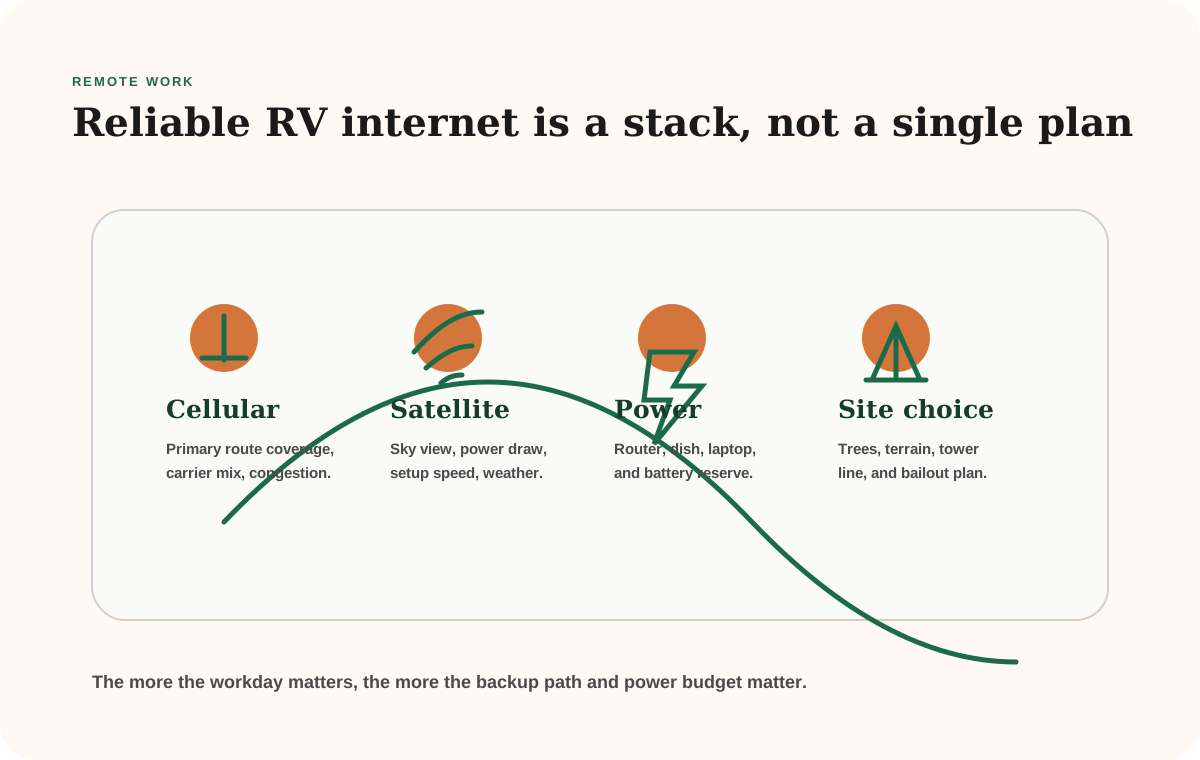
The best RV internet setup is usually a layered stack, not one device: one primary connection, one backup connection, enough battery capacity to run the gear, and a campsite choice that supports signal or sky view. Start with the internet backup planner, then compare Starlink vs hotspot for your route.
The mistake is buying around a brand name before you know the job. A weekend camper who checks maps and email does not need the same setup as a full-time worker who sits through six hours of calls, uploads files, and cannot miss a client meeting.
Use these as price anchors before you shop gear. A starter traveler can price a Visible phone-hotspot backup at $25/mo, a Visible+ backup at $35/mo, or a T-Mobile hotspot lane at $25/mo for 25GB and $50/mo for 100GB, then keep the existing phone as the other path. A real workday setup usually starts with a dedicated hotspot or router lane, a 100GB-class plan around $50/mo, and a second-carrier SIM or phone line so one tower map does not decide the whole workday. A remote-office setup usually means Starlink's lower Roam data lane at $50/mo for occasional satellite insurance or Roam Unlimited at $165/mo, plus hardware that can move with promos, and a cellular backup for travel days, trees, and quick stops.
Compare
First stacks to price before you buy hardware
Use one comparison matrix to scan the practical differences. Small screens stack each row; wider screens keep the first column pinned.
| Tier | Concrete starting stack | Current price anchor | When it fits |
|---|---|---|---|
| Starter | Visible phone-hotspot backup or T-Mobile mobile hotspot + existing phone | Visible $25/mo, Visible+ $35/mo, T-Mobile 25GB $25/mo, or T-Mobile 100GB $50/mo | Maps, email, booking sites, light laptop work, and occasional calls |
| Workday | Dedicated hotspot or Peplink-style router + 100GB-class primary plan + second-carrier SIM or phone | Often starts around $75-$95/mo for T-Mobile 100GB plus Visible/Visible+ before router hardware | Regular video calls where one carrier failure would cost real work time |
| Remote | Starlink Roam + cellular fallback for trees, travel days, and quick town stops | Starlink lower Roam data lane $50/mo or Roam Unlimited $165/mo, plus hardware; current Mini promos can be lower than older $599 hardware comparisons, so verify checkout | Open-sky public land, weak tower routes, and high-penalty missed calls |
Choose the stack before the hardware
The right setup usually becomes obvious once you name the connection role, the data load, and the penalty for being offline.
Starter setup
T-Mobile 100GB or Visible+
A real low-cost starting point: T-Mobile's 100GB hotspot lane at $50/month if coverage fits, or Visible+ at $35/month when a Verizon-network phone backup is the easier first move.
Workday setup
Peplink router + T-Mobile/Visible
A stronger laptop lane: a Peplink MAX BR1 Mini 5G-style router, compatible data plan, and Visible+ or Visible+ Pro as the second-carrier phone lane.
Remote setup
Starlink Roam + cellular backup
For open-sky public-land routes where cellular is the weak link, budget satellite service, checkout-confirmed hardware, setup time, and 25-40W Mini power draw.
Build from the workday, not the plan name
Plans sound generous until you translate the workday into data. Zoom's published bandwidth requirements for group HD calls can run several megabits per second in each direction. Six hours of video meetings can easily become 8-12GB before screen sharing, cloud sync, Slack, browser tabs, email attachments, and operating-system updates are counted.
That does not mean every RVer needs unlimited satellite. It means data use should be estimated before the plan is chosen.
Compare
Compare fast
Use one comparison matrix to scan the practical differences. Small screens stack each row; wider screens keep the first column pinned.
| Spec | Typical data day | What usually works | Watchout |
|---|---|---|---|
| Maps, messaging, email | Under 2GB on many days | Phone plan hotspot or simple hotspot | Do not let app updates steal the reserve |
| Laptop work without heavy calls | 2-6GB | Dedicated hotspot or home-internet-away style plan | Coverage and congestion matter more than the box |
| Zoom-heavy workday | 8-15GB is a realistic planning range | Larger cellular plan plus backup carrier | One carrier can fail even when the map looks fine |
| Remote dead-zone work | Varies by workday, but reliability is the issue | Starlink or satellite layer plus cellular fallback | Satellite adds power draw and sky-view friction |
Current plan examples make the tradeoff clearer. T-Mobile's public hotspot page lists 25GB at $25/month and 100GB at $50/month with AutoPay, then slower service after the high-speed allotment. That can be a clean starter lane for a traveler who wants a separate data bucket without jumping straight to satellite.
T-Mobile AWAY is a different product than the address-tied home-internet plan many people remember from the $50-ish home pricing. The AWAY page is explicitly built for life on the road, but the public comparison table shows a much higher current unlimited price anchor: $160/month standalone or $150/month with AutoPay. If you see someone saying "just use T-Mobile Home Internet in the RV," verify whether they mean AWAY, a hotspot plan, or a home-address plan that may not be appropriate for travel.
Visible's current eSIM page shows a simple phone-backup ladder: Visible at $25/month with 5Mbps phone hotspot, Visible+ at $35/month with 10Mbps hotspot, and Visible+ Pro at $45/month with 15Mbps hotspot. That does not make a phone line the same tool as a roof antenna and router, but it does make Visible useful as a low-friction second path when your primary internet rides on T-Mobile, AT&T, or satellite.
Starlink changes the equation in different ways. Starlink's U.S. Roam pages and service-plan listings have recently shifted the lower Roam data lane between 50GB and 100GB language, while Roam Unlimited has shown a $165/month anchor and the Starlink Mini has appeared with a $299 promo instead of the older $499 Mini reference. T-Mobile's own AWAY comparison still uses a +$599 purchase line for comparable Starlink Mobile hardware, which is a good reminder that kit pricing and promos are not stable. Treat Starlink hardware as a checkout-confirmed line item, not a number to memorize. The Starlink Mini specification sheet lists average power around 25-40W, which is low for satellite but still a meaningful daily electrical load in a boondocking rig. Run that for 10 hours and the internet hardware alone can use roughly 250-400Wh before the laptop is counted. The Starlink for RVs guide walks through current hardware and plan choices in more detail.
Check these five things before buying the internet part
Before you buy a hotspot, router, or satellite kit, confirm the plan can be used where you travel, the device is eligible for that plan, the high-speed data or hotspot cap matches your workday, the backup uses a different network or failure mode, and the daily watt-hour draw fits the battery plan.
Compare
Concrete stack examples to price before you buy
Use one comparison matrix to scan the practical differences. Small screens stack each row; wider screens keep the first column pinned.
| Spec | Example stack | Current price anchor | Best fit | Do not miss |
|---|---|---|---|---|
| Starter cellular | T-Mobile 100GB hotspot plan + existing phone hotspot | $50/mo above the phone plan, before taxes and device costs | Light work, route checks, email, and a few call days per month | 100GB disappears fast if six-hour video-call days are normal |
| Budget backup carrier | Visible, Visible+, or Visible+ Pro phone line used as backup hotspot | $25/mo, $35/mo, or $45/mo with taxes and fees included on the current eSIM page | A cheap Verizon-network fallback when the primary line is T-Mobile or AT&T | Phone hotspot behavior is not the same as a dedicated router data plan |
| Router workday | Peplink MAX BR1 Mini 5G + compatible T-Mobile/Verizon/AT&T data path | Router hardware plus roughly $75-$195/mo depending on data plan mix | Laptop-heavy work where failover, better placement, and Ethernet matter | Confirm SIM/eSIM and plan eligibility before assuming a phone SIM belongs in a router |
| Remote-office satellite | Starlink Roam Unlimited + cellular backup phone or hotspot | About $165/mo for Roam Unlimited plus hardware and backup-cell costs | Open-sky public land, weak tower routes, and high-penalty missed calls | Trees, canyon walls, weather placement, and 25-40W Mini draw still matter |
Do not compare plans without power and reset math
A plan that looks perfect on coverage can still be wrong if it drains the battery, needs a clear sky you rarely have, or forces a long drive into town whenever the primary path fails.
Three real RV internet stacks
Starter stack: T-Mobile hotspot lane plus phone backup
Use this when internet is convenient but not mission-critical.
The practical starter version is not "buy the biggest router." It is a separate data lane you can understand.
- Primary: T-Mobile 100GB mobile hotspot plan at $50/month if T-Mobile coverage is good on your route.
- Backup: your existing phone hotspot, campground Wi-Fi when it is decent, offline maps, and a known town fallback for important calls.
- Power: normal phone, hotspot, and laptop charging.
- Best fit: weekend trips, seasonal campgrounds, email, booking sites, route checks, and light laptop work.
This is the cleanest first budget because the cap is visible. A six-hour Zoom-heavy day can use around 8-15GB once calls, screen sharing, browsing, and background sync are included. That means 100GB can be a month of light trips or only a week or two of serious work.
If you want a cheap second carrier instead of a separate hotspot device, Visible and Visible+ are useful examples because they run on Verizon's network and publish simple monthly pricing. Check whether the Visible+ price you see is the standard price or a limited promo, and treat the line as a backup-phone lane, not as a magic replacement for a dedicated router.
Workday stack: Peplink router plus two carrier paths
Use this when the laptop comes out often and weak coverage costs time.
The workday version starts to look more like infrastructure:
- Primary: a compatible T-Mobile, Verizon, or AT&T data plan in a dedicated hotspot or router.
- Router candidate: Peplink MAX BR1 Mini 5G if you want a rugged router, SIM/eSIM support, Ethernet, better antenna placement, and failover features.
- Backup: Visible+, Visible+ Pro, another Verizon-network phone, or a second carrier that fails differently from the primary path.
- Power: laptop plus router budget included in the battery calculator.
- Best fit: frequent workdays near towns, highways, state parks, fairgrounds, and mixed campground networks.
The Peplink datasheet lists the MAX BR1 Mini 5G with redundant SIM slots, optional Wi-Fi WAN, 10-30V DC input, and roughly 13-18W power draw depending on model. Over an eight-hour work block, that router can add roughly 104-144Wh before the laptop, monitor, and phones are counted.
A realistic monthly anchor might be T-Mobile 100GB at $50 plus a Visible or Visible+ backup line, or T-Mobile AWAY at $150 with AutoPay plus a cheaper backup phone line. That makes the ongoing service range roughly $75-$195/month before taxes, fees, router hardware, antennas, promo expirations, or business plans. The exact mix matters less than the rule: the backup should be a different network or a different failure mode.
The point is carrier diversity. A Verizon-heavy route may need a T-Mobile or AT&T backup. A T-Mobile primary may need Verizon as the second path. Maps help, but the first live call from a campsite is the real test.
Remote-office stack: Starlink Roam plus cellular fallback
Use this when dead zones are expected and the penalty for being offline is high.
The remote-office version is where Starlink starts to earn the friction.
- Primary: Starlink Roam Unlimited when the route repeatedly outruns cellular and you camp with open sky.
- Backup: cellular phone, hotspot, or router lane for tree-covered state parks, travel days, quick stops, and satellite setup failures.
- Power: Starlink Mini at 25-40W average, router, laptop, monitor, and charging losses included in the daily energy budget.
- Best fit: full-time remote work, dispersed camping, long western routes, and anyone who cannot simply "try again tomorrow."
For U.S. RV planning, use $165/month as the current Starlink Roam Unlimited service anchor, then add checkout-confirmed hardware and the cellular backup you still need. The cheaper lower-data Roam lane can work as occasional satellite insurance, but it is not the same answer as an uncapped primary connection for repeated workdays.
This stack costs more because it solves more failure modes. It also requires more campsite judgment. Starlink dislikes blocked sky. Cellular dislikes terrain, congestion, and distance from towers. Good remote-work RVers learn to read both.
Campsite choice still matters
No internet stack fully saves bad site selection. A beautiful shaded site can be perfect for August comfort and terrible for satellite. A canyon site can be quiet and useless for cellular. A crowded holiday campground can show strong signal bars and still produce miserable speeds because the tower is overloaded.
Before committing to a work camp, check:
- whether the site has a clear northern or open-sky view for satellite
- whether the phone shows usable data, not just bars
- whether the route has a fallback town, library, coworking space, or campground office
- whether the battery bank can carry the internet gear through the work block
That is why the backup internet guide is just as important as the primary plan once the workday matters.
Power belongs in the internet conversation
Internet gear is part of the electrical system. A phone hotspot may barely move the battery plan. A router, Starlink, laptop, external monitor, and repeated charging can become one of the larger daytime loads in the rig.
Use rough planning numbers like this:
Compare
Compare fast
Use one comparison matrix to scan the practical differences. Small screens stack each row; wider screens keep the first column pinned.
| Load | Planning range | Why it matters |
|---|---|---|
| Phone hotspot | Small, often handled through normal charging | Good starter path, but phone heat and battery wear are real |
| Dedicated hotspot or router | Often a modest continuous load | Small watts become real watt-hours over a full workday |
| Starlink Mini | About 25-40W average from the current spec sheet | A 10-hour work block can cost roughly 250-400Wh before laptop use |
| Laptop plus monitor | Highly variable, often the largest work load | This belongs in the same power plan as internet gear |
If the daily work stack starts pushing the battery plan, use the battery sizing guide before assuming the internet problem is only a coverage problem.
Why this topic needs a quarterly check
Carrier plan names, hotspot allotments, deprioritization rules, satellite pricing, and hardware bundles change more often than a battery guide or solar install guide. The durable part of RV internet planning is the stack logic:
- one primary path
- one backup path with a different failure mode
- enough power for the work block
- a quarterly check for plan, data, and hardware changes
- a campsite bailout plan before the call starts
Do that check before a long route, before peak summer travel, and before switching to a heavier work schedule. The goal is not to rebuild everything every quarter. It is to catch plan changes before they catch you in the field.
Common mistakes
The most common mistake is buying satellite too early or too late. Too early means paying for hardware when your route is mostly covered by cellular. Too late means trying to run a real job from one carrier in places where that carrier disappears.
The second mistake is using coverage maps like guarantees. They are planning tools, not campsite contracts.
The third mistake is ignoring background data. Cloud backups, software updates, photo sync, and streaming can burn through a capped plan faster than the actual work.
Final thought
The best RV internet setup is the one that matches your workday, route, power budget, and tolerance for disruption. Once those four inputs are honest, the decision gets quieter: choose the primary path, carry a different backup, and check the plan details often enough that the stack stays current.
Frequently asked
Questions RVers usually ask next.
What kind of RV internet setup is best for most people?
For casual travel, a good phone hotspot setup may be enough. For frequent laptop work, most RVers should add a dedicated cellular path or second carrier. For remote camps where missed internet has real cost, satellite often becomes a backup or primary layer.
How much data does a remote-work RV day use?
A light workday may use only a few gigabytes, but a Zoom-heavy day can land around 8-15GB once calls, screen sharing, browsing, cloud sync, and background traffic are included. Estimate the workday before choosing a capped plan.
Is Starlink better than a hotspot for RVers?
It depends on the failure mode. Starlink is powerful where cellular coverage is weak, but it needs sky view and adds power draw. Hotspots are easier and cheaper when towers are available, but one carrier can fail in terrain, congestion, or dead zones.
Why does power matter when talking about internet?
Because internet hardware runs for hours. A satellite terminal, router, laptop, and monitor can become a meaningful daily battery load, especially when you boondock and need the work stack to survive without shore power.
Freshness note
Last checked May 5, 2026
This topic can change when products, plans, prices, campsite rules, or fit guidance move. These notes show what was reviewed most recently.
This review included
- Checked current T-Mobile mobile hotspot, T-Mobile Home Internet AWAY, Visible eSIM plans, Starlink Roam, Starlink Mini specification sheet, Zoom bandwidth, and Peplink MAX BR1 Mini 5G public pages for plan-price and hardware-role examples.
- Refreshed the first-screen starter, workday, and remote-office stack examples so the overview guide names real plan anchors, current Visible+ tiers, current T-Mobile AWAY pricing, and current Starlink Mini hardware promo availability.
- Checked Zoom bandwidth requirements so video-call data examples use real call loads instead of vague remote-work language.
- Checked Starlink Mini and Peplink MAX BR1 Mini 5G power-draw specs so router and satellite examples are included in the RV power budget.
Recent change log
May 5, 2026
Refreshed the RV internet overview with current official T-Mobile, Visible, Starlink, Zoom, and Peplink checks; tightened the starter/workday/remote-office plan table; and added a pre-purchase plan check so readers know exactly what to verify before buying hardware.
April 29, 2026
Moved concrete starter, workday, and remote-office price anchors into the opening decision section so readers see T-Mobile, Visible, Starlink, and router examples before the deeper framework.
April 22, 2026
Added concrete starter, workday, and remote-office stack examples with current carrier names, plan-price anchors, router hardware context, and cautions about address-locked home-internet plans.
April 21, 2026
Expanded the guide with concrete data-use math, current plan examples, power-draw context, stack scenarios, and a quarterly check workflow.
April 20, 2026
Renamed the quarterly-update section so internal editorial language does not leak into the published guide.
April 11, 2026
Refreshed RV internet planning around current cellular and satellite stack design.
Broader editorial corrections are tracked on the Corrections and Updates page.

