Shortlist first
Use this to find the winner first, then compare the alternates only if their tradeoffs fit your rig better.
Shortlist labels are editorial recommendations, not popularity rankings. Fit score still matters, but the label tells you why each pick made this guide.
How fit scores work
Scores are editorial fit scores, not user-review averages. The rubric weighs stated RV-use fit, verified specs and limits, whole-rig friction, visible downsides or support risk, and value for the specific job in this guide. Read the full scoring rubric.
If you need one baseline option before reading the full guide, start with Starlink Mini for portable rv satellite internet.
The first option to evaluate if you want the strongest all-around fit for this guide. Check the other cards only if their award label matches your constraint better.
| Product | Why shortlisted | Fit score | Key spec | Best for | Skip if | Actions |
|---|---|---|---|---|---|---|
| Starlink Mini Links to: Starlink Mini | Best overall The first option to evaluate if you want the strongest all-around fit for this guide. | 4.7 / 5 fit scoreScore rubric | 25-40W average, 2.56 lb with kickstand, 11.75 x 10.2 x 1.45 in official spec sheet | Portable RV satellite internet | You mostly camp where cellular works or need the highest Starlink hardware margin for a stationary basecamp. | Read Starlink Mini notesCheck listing at StarlinkMerchant link - direct listing. Verify price and specs at Starlink. |
| Starlink Standard Kit Links to: Starlink Standard Kit | Also great A strong alternate when its specific tradeoffs fit your rig better than the winner. | 4.5 / 5 fit score | 75-100W average, larger 23.4 x 15.07 x 1.5 in antenna class on official specs page | Stationary basecamp setups | You need the lowest practical power draw or a kit that packs into a small RV storage routine. | Read Starlink Standard Kit notesCheck listing at StarlinkMerchant link - direct listing. Verify price and specs at Starlink. |
| T-Mobile 100GB Hotspot Plan Links to: T-Mobile 100GB Mobile Internet plan | Best value The pick that balances capability and cost pressure best for this decision. | 4.3 / 5 fit score | $50/month public 100GB hotspot-plan lane checked on official T-Mobile page | Hotspot-first travelers | You repeatedly camp beyond usable cellular coverage and need a different failure mode. | Read T-Mobile 100GB Hotspot Plan notesCheck listing at T-MobileMerchant link - direct listing. Verify price and specs at T-Mobile. |
Is Starlink Mini worth it for RVers?
Starlink Mini is worth it for RVers who regularly camp beyond reliable cellular coverage and need a compact satellite setup that is easier to power, pack, and place than the larger Standard kit. It is not automatically worth it for weekend campers, campground travelers, or anyone whose existing hotspot setup already supports normal work and communication.
Official source checks
Satellite hardware specs, plan names, plan availability, and data terms can change. These sources were checked on April 21, 2026.
Pre-arrival checks
Check your account before buying
Starlink plan options and hardware availability can vary by country, account, and current product lineup.
Power spec is not the whole budget
Router placement, cable loss, inverter use, and DC power method can change real RV battery impact.
Starlink Mini at a glance
Battery draw estimates use Starlink's official 25-40W average power range and a 12V planning baseline before conversion losses.
Published power
25-40W average
Official Mini specification sheet.
8-hour workday
200-320Wh
About 17-27Ah at 12V before conversion losses.
Published weight
2.56 lb with kickstand
Official Mini specification sheet.
Published size
11.75 x 10.2 x 1.45 in
Compact enough to change the storage and placement routine.
Best fit
Weak-cell routes
Mini makes most sense when cellular failure is frequent, not theoretical.
Main limiter
Sky access
Trees, canyon walls, bad placement, and roof clutter can still beat the hardware.
The real decision is not "Should I buy Starlink?"
The better question is:
Which failure are you trying to solve?
If your normal problem is weak campground Wi-Fi, a better phone plan or hotspot might solve it. If your normal problem is Verizon working in one region and T-Mobile working in another, a second carrier may solve it. If your normal problem is camping where cellular disappears, Starlink begins to make sense.
Starlink Mini is not the cheapest internet setup. It is not the lightest possible data connection. It is not magic under trees. It is a compact satellite layer for RVers whose travel pattern repeatedly outruns cellular.
Use the internet for RVers guide and best mobile internet plans guide before treating satellite as the first answer.
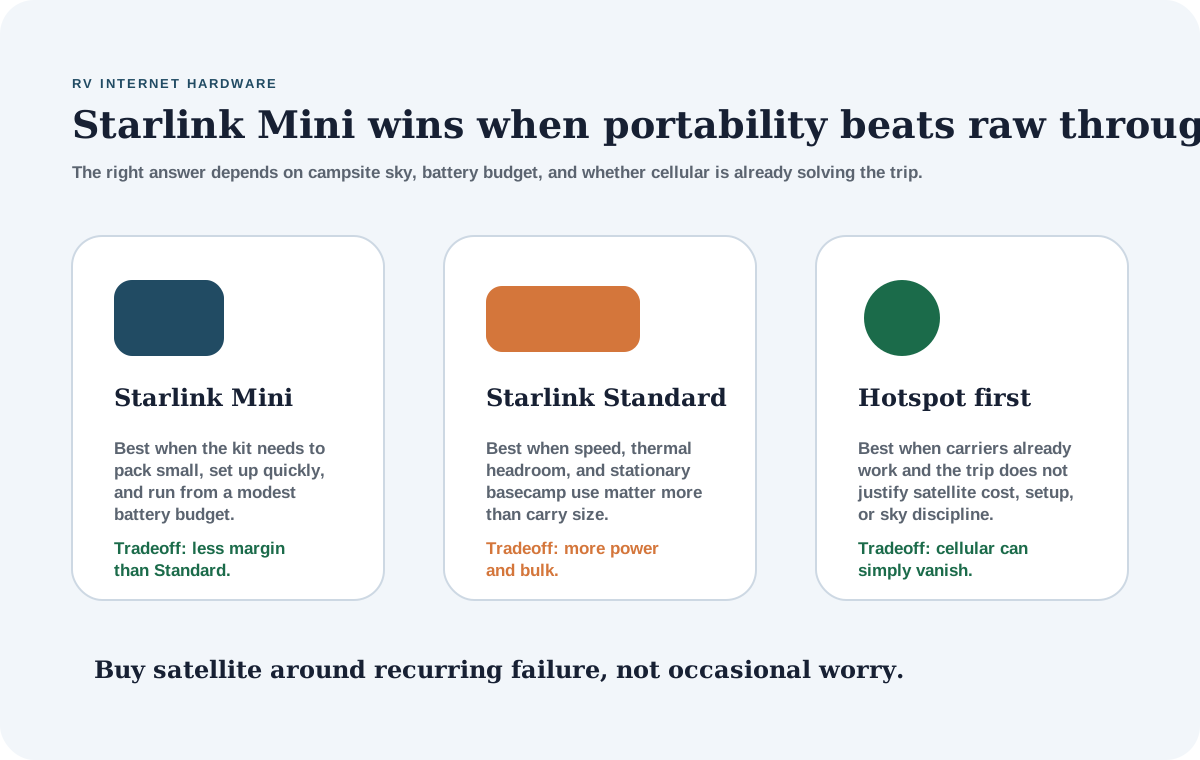
Starlink Mini versus Standard and hotspot-first setups
Compare
Starlink Mini, Starlink Standard, and hotspot-first RV internet.
Use one comparison matrix to scan the practical differences. Small screens stack each row; wider screens keep the first column pinned.
| Spec | Starlink Mini | Starlink Standard | Hotspot-first setup |
|---|---|---|---|
| Best role | Portable satellite layer for RV travel | Stationary or larger basecamp Starlink setup | Primary internet when cellular already works |
| Published power use | 25-40W average | 75-100W average on Starlink specifications page | Usually much lower for phone/hotspot-only use |
| Storage and setup | Smallest and easiest to pack | Larger kit and power supply routine | Simplest if the phone or hotspot already has service |
| Best campsite | Open-sky public land, quick setup, small-rig storage | Open-sky basecamp with stronger power support | Campgrounds, towns, highways, and state parks with carrier coverage |
| Main watchout | Still needs sky and plan cost to make sense | Higher power draw and bulk | Can fail completely where cellular coverage disappears |
Best RV internet hardware lane
- Latest product check
- Specs, fit notes, and current listing context were reviewed April 21, 2026.
- Evidence label
- Research-only: Score is based on documented research and fit analysis where direct testing or verified current specs are limited.
- Price context
- Pricing and availability can change, so confirm the merchant listing before buying.
Product facts last checked April 21, 2026
Starlink Mini
Editorial fit score
Mini is the Starlink version that best matches how many RVers actually travel: small storage spaces, limited battery budgets, changing campsites, and the need to move the dish until the sky view works. The official 25-40W average power range is the key RV advantage.
Review verdict
- Short verdict
- The best Starlink hardware fit for most RVers who truly need satellite because it lowers the storage, power, and setup burden.
- Evidence used
- Research-only
- Checked against the official Starlink Mini specification sheet and Starlink Roam page on April 21, 2026; not hands-on tested by OffGridRVHub.
- Why it made the shortlist
- Best overall
- The first option to evaluate if you want the strongest all-around fit for this guide.
- Best if
- Portable satellite internet for weak-cell RV routes
- Why not this product?
- Your normal camps already have reliable cellular, or you want a higher-margin stationary basecamp setup and can support the power draw.
- Watch for
- Still needs clear sky and a plan that fits the budget.
- Product check date
- Specs, fit notes, and current listing context were last checked April 21, 2026.
Key specs
- Power
- 25-40W average
- Weight
- 2.56 lb with kickstand
- Dimensions
- 11.75 x 10.2 x 1.45 in
- Input
- 12-48V, 60W input rating
Score basis
Checked against the official Starlink Mini specification sheet and Starlink Roam page on April 21, 2026; not hands-on tested by OffGridRVHub. These are editorial fit scores, not customer-review averages. Read the scoring rubric.
- RV-use fit
- 30% weight
- Verified specs and limits
- 25% weight
- Whole-rig friction
- 20% weight
- Downsides and support risk
- 15% weight
- Value for the job
- 10% weight
How directly the product solves the specific off-grid RV job in this guide.
Capacity, dimensions, electrical limits, protection claims, and compatibility constraints we can verify from current sources.
Install effort, storage, wiring, service access, weight, refill workflow, or daily-use hassle.
Known tradeoffs, unclear claims, warranty coverage, support risk, and wrong-buyer failure modes.
Whether the price makes sense after fit, specs, and tradeoffs still hold.
Testing limits
- Treat this as an editorial screen, not a final buy signal.
- Verify the latest manufacturer specs, owner documentation, and retailer listing before relying on this option.
Reasons to buy
- Lowest published Starlink power draw in this comparison.
- Much easier to store and reposition than larger Starlink hardware.
- Best match for small rigs, quick camp moves, and battery-aware remote work.
Watch-outs
- Still needs clear sky and a plan that fits the budget.
- Less hardware margin than the larger Standard setup.
- Power method, cable routing, and mount choice still need planning.
Whole-bank math
8-hour workday
About 200-320Wh before losses
At 12V, that is roughly 17-27Ah before conversion losses, router extras, laptop power, and inverter habits.
Best stack
Cellular primary + Mini satellite fallback
Use Mini when cellular repeatedly fails, not as a cure for every internet annoyance.
Check current listing
Starlink Mini
Use the listing after the fit notes make sense for your rig. Pricing and availability can change, so verify the merchant page before buying.
- Latest product check
- Specs, fit notes, and current listing context were reviewed April 21, 2026.
- Evidence label
- Research-only: Score is based on documented research and fit analysis where direct testing or verified current specs are limited.
- Price context
- Pricing and availability can change, so confirm the merchant listing before buying.
Product facts last checked April 21, 2026
Starlink Standard Kit
Editorial fit score
The Standard kit is still a serious RV option for travelers who set up longer basecamps, have enough battery or shore/generator support, and do not need the smallest possible dish routine. It is less elegant for quick-moving small rigs, but it may be the better hardware class for a more stationary camp office.
Review verdict
- Short verdict
- The better Starlink lane when stationary basecamp performance matters more than small-rig portability and low power draw.
- Evidence used
- Research-only
- Checked against the official Starlink specifications page and Roam page on April 21, 2026; not hands-on tested by OffGridRVHub.
- Why it made the shortlist
- Also great
- A strong alternate when its specific tradeoffs fit your rig better than the winner.
- Best if
- Stationary open-sky basecamp use
- Why not this product?
- You need the smallest kit, lowest draw, easiest storage, or a satellite setup that can move around camp quickly.
- Watch for
- Higher published average power draw than Mini.
- Product check date
- Specs, fit notes, and current listing context were last checked April 21, 2026.
Key specs
- Power
- 75-100W average on official specs page
- Antenna class
- Larger Standard hardware
- Best role
- Stationary basecamp satellite
- Checked
- Official Starlink specs, Apr 21 2026
Score basis
Checked against the official Starlink specifications page and Roam page on April 21, 2026; not hands-on tested by OffGridRVHub. These are editorial fit scores, not customer-review averages. Read the scoring rubric.
- RV-use fit
- 30% weight
- Verified specs and limits
- 25% weight
- Whole-rig friction
- 20% weight
- Downsides and support risk
- 15% weight
- Value for the job
- 10% weight
How directly the product solves the specific off-grid RV job in this guide.
Capacity, dimensions, electrical limits, protection claims, and compatibility constraints we can verify from current sources.
Install effort, storage, wiring, service access, weight, refill workflow, or daily-use hassle.
Known tradeoffs, unclear claims, warranty coverage, support risk, and wrong-buyer failure modes.
Whether the price makes sense after fit, specs, and tradeoffs still hold.
Testing limits
- Treat this as an editorial screen, not a final buy signal.
- Verify the latest manufacturer specs, owner documentation, and retailer listing before relying on this option.
Reasons to buy
- More traditional Starlink hardware lane for longer stationary setups.
- Good fit when power draw and storage are not the main constraints.
- Makes sense when the dish can stay placed and protected for longer stays.
Watch-outs
- Higher published average power draw than Mini.
- Larger hardware is less pleasant for quick camp moves.
- Overkill for travelers whose hotspot setup already works most of the time.
Whole-bank math
8-hour workday
About 600-800Wh before losses
That is a meaningful battery load and should be planned alongside laptop, monitor, router, fan, and fridge use.
Best stack
Basecamp Starlink + cellular travel-day backup
Better when you set up and stay rather than move every day.
Check current listing
Starlink Standard Kit
Use the listing after the fit notes make sense for your rig. Pricing and availability can change, so verify the merchant page before buying.
- Latest product check
- Specs, fit notes, and current listing context were reviewed April 21, 2026.
- Evidence label
- Research-only: Score is based on documented research and fit analysis where direct testing or verified current specs are limited.
- Price context
- Pricing and availability can change, so confirm the merchant listing before buying.
Product facts last checked April 21, 2026
T-Mobile 100GB Hotspot Plan
Editorial fit score
A hotspot-first setup remains the right answer for many RVers. If your camps have usable cellular coverage, a dedicated hotspot lane can be cheaper, lighter, easier to power, and simpler than satellite hardware.
Review verdict
- Short verdict
- The better first move when the real problem is not satellite coverage, but needing a separate cellular data lane.
- Evidence used
- Research-only
- Checked against the official T-Mobile hotspot plan page on April 21, 2026; not hands-on tested by OffGridRVHub.
- Why it made the shortlist
- Best value
- The pick that balances capability and cost pressure best for this decision.
- Best if
- Cellular-covered RV routes
- Why not this product?
- You repeatedly camp where all practical carriers fail and work or communication still has to happen.
- Watch for
- Does not solve no-cell-service camps.
- Product check date
- Specs, fit notes, and current listing context were last checked April 21, 2026.
Key specs
- Plan lane
- 100GB high-speed hotspot
- Public price
- $50/month with AutoPay language on official page
- Best role
- Dedicated cellular data bucket
- Checked
- Official T-Mobile page, Apr 21 2026
Score basis
Checked against the official T-Mobile hotspot plan page on April 21, 2026; not hands-on tested by OffGridRVHub. These are editorial fit scores, not customer-review averages. Read the scoring rubric.
- RV-use fit
- 30% weight
- Verified specs and limits
- 25% weight
- Whole-rig friction
- 20% weight
- Downsides and support risk
- 15% weight
- Value for the job
- 10% weight
How directly the product solves the specific off-grid RV job in this guide.
Capacity, dimensions, electrical limits, protection claims, and compatibility constraints we can verify from current sources.
Install effort, storage, wiring, service access, weight, refill workflow, or daily-use hassle.
Known tradeoffs, unclear claims, warranty coverage, support risk, and wrong-buyer failure modes.
Whether the price makes sense after fit, specs, and tradeoffs still hold.
Testing limits
- Treat this as an editorial screen, not a final buy signal.
- Verify the latest manufacturer specs, owner documentation, and retailer listing before relying on this option.
Reasons to buy
- Much easier to power than satellite gear.
- Often cheaper and simpler when cellular coverage exists.
- Good second-carrier lane without changing the main phone plan.
Watch-outs
- Does not solve no-cell-service camps.
- 100GB can disappear quickly with video calls and streaming.
- Coverage varies heavily by campsite, tower congestion, and terrain.
Whole-bank math
Data example
8GB/day = about 12 workdays
A 100GB bucket is real, but it is not a full-time unlimited work-and-entertainment plan.
Best stack
Hotspot primary + Starlink only if route demands it
Start here when cellular solves most of the trip.
Check current listing
T-Mobile 100GB Mobile Internet plan
Use the listing after the fit notes make sense for your rig. Pricing and availability can change, so verify the merchant page before buying.
Where Starlink Mini shines
Mini shines when the RV trip has three traits at the same time:
- cellular coverage fails often enough to be a real problem
- the campsite usually has clear sky somewhere nearby
- the rig has limited storage or battery capacity
That combination is common for small trailers, vans, truck campers, Class B rigs, and compact boondocking setups. It is also common for remote workers who move often and need a satellite fallback without turning every camp setup into a project.
The smaller size matters more than it looks on paper. A dish that can be carried, repositioned, stored, and powered more easily is more likely to be used correctly. In real RV life, the best hardware is often the hardware you can set up even when you are tired.
Where Mini disappoints people
Mini disappoints buyers who wanted satellite to remove all internet thinking.
It still needs:
- open sky
- plan cost
- power budget
- cable or mount discipline
- storage space
- a fallback for tree-heavy sites
- route planning when work cannot fail
Trees still matter. Canyon walls still matter. Heavy rain and congestion can still matter. A compact dish does not change the basic fact that satellite needs sky.
Mini can also disappoint people who mostly camp in places with solid cellular. If Verizon, AT&T, or T-Mobile already handles the route, Starlink may feel like an expensive backup for a rare problem.
Power-budget examples
At the official 25-40W Mini average, an 8-hour workday is roughly 200-320Wh before conversion losses.
That is reasonable, but it is not nothing.
If the same workday also includes:
- 350Wh laptop and monitor use
- 150Wh of lights and device charging
- 500Wh from a 12V fridge
- 150Wh of fan use
the day can land around 1,350-1,470Wh before inverter losses and weather margin.
That is too much for a casual single-battery setup unless solar, alternator charging, generator support, or shore power keeps up. Use how many solar watts your RV needs and the battery calculator before assuming a satellite workday is only an internet decision.
The Standard kit changes the power story. At 75-100W average, an 8-hour workday can be 600-800Wh before losses. That can be a major daily load in a small RV.
Mini vs. Standard for a real RV day
The Mini choice usually becomes obvious when you think through a normal camp day.
With Mini, the routine can be simple: pull the kit from a cabinet, place it where the sky is clear, power it from a DC source or a small inverter path, and move it if the first spot is blocked. That flexibility is valuable in forest-edge camps, desert sites with shade structures, compact trailers, Class B vans, and truck campers where storage space is scarce.
With Standard, the routine is more basecamp-oriented. The hardware is larger, the power draw is higher, and the setup feels more like placing a fixed campsite appliance. That can be fine if you stay several nights, have a larger battery bank, and can leave the dish in a stable open-sky location. It is less appealing if every travel day already includes leveling, water, dogs, work gear, and a campsite walkaround.
The performance conversation also needs context. If you are trying to support one remote worker, normal browsing, calls, and uploads, Mini may be enough when the sky view is good and the plan fits. If you are supporting multiple workers, heavy uploads, streaming, or a longer stationary camp, Standard deserves a look. But the larger kit should earn its extra battery cost and storage burden.
Hotspot-first is still the right answer for many RVers
Satellite internet is emotionally appealing because it promises an escape from carrier maps. But many RVers do not actually need to escape cellular very often.
If you mostly camp in developed campgrounds, near towns, in state parks close to highways, or in regions where one carrier performs well, a better cellular stack can be cheaper and easier. That might mean a premium phone plan, a second carrier, a dedicated hotspot, or a router setup that makes the existing plan easier to use.
The hotspot-first path also uses less power. A phone hotspot or small dedicated hotspot is usually a much smaller load than satellite hardware. That matters if the RV has one battery, limited solar, or a refrigerator and furnace already competing for overnight reserve.
The weakness is that cellular failure can be absolute. A hotspot cannot fix no tower, bad terrain, or overloaded coverage. If that happens often on your route, Mini becomes a different kind of tool instead of a luxury.
How to decide from your last five camps
Look backward before buying.
For your last five camps, write down:
- whether cellular worked at the campsite
- whether work calls or uploads failed
- whether moving the hotspot improved the result
- whether trees would have blocked satellite
- whether you had enough battery to run satellite all day
- whether a town fallback was nearby
If three or more of those camps had real cellular failure and decent sky access, Mini deserves serious consideration. If cellular worked at four or five camps, satellite may be an expensive anxiety purchase. If trees blocked the sky at most camps, Mini may still disappoint unless you can place it away from the RV.
This backwards audit is more useful than arguing about global coverage. RV internet is local, seasonal, and route-specific.
Mounting and placement matter more than people expect
The best Mini setup is usually the one that can be moved.
Roof mounting can be clean, but it only works if the roof sees the sky. If you camp under trees, a portable placement strategy may be better. If you camp in windy desert, a loose ground setup may be annoying. If you move every day, a mount that takes too long will eventually stop being used.
Before buying mounts, read the RV Starlink mounting options guide. The right mount depends on whether you need speed, theft resistance, tree avoidance, cable discipline, or permanent roof behavior.
Buy Starlink Mini around recurring failure, not occasional worry
The strongest reason to buy Starlink Mini is that your travel or work pattern repeatedly breaks ordinary cellular options. If that does not happen often, the smarter answer may be a cheaper and simpler cellular stack.
Who should buy Mini?
Buy Mini if you work or travel in places where cellular repeatedly fails, you need compact gear, and the RV power system can absorb a 200-320Wh workday satellite load.
Buy Standard instead if you set up for longer open-sky basecamps, have stronger power support, and care less about packing small.
Stay hotspot-first if the real issue is simply that your current phone plan is weak, the route has good carrier coverage, or you mostly camp in state parks, campgrounds, towns, or highway corridors.
The cleanest RV internet stack often looks like this:
- phone plan for normal travel days
- dedicated hotspot or second carrier for cellular redundancy
- Starlink Mini for open-sky no-cell camps
- town fallback for hard-deadline workdays
Use the internet data usage calculator before buying if the real question is data volume, not coverage failure.
Setup details to solve before the box arrives
Decide how Mini will be powered. Some owners want a DC-native path. Others use an inverter or portable power station. Each choice changes cable routing, conversion losses, and how cleanly the setup stores on travel days.
Decide where it will live while driving. A satellite kit that rattles around a cabinet or gets buried under chairs will not feel premium for long. The smaller size helps, but it still needs a repeatable storage routine.
Decide how the cable crosses the campsite. A beautiful open-sky spot is less useful if the cable creates a trip hazard, blocks a door, or has to be run through a window every workday. Portable placement is strongest when the cable path is planned.
Finally, decide what counts as failure. If Mini is only for emergency email, the setup can be casual. If Mini is for paid client calls, it deserves a pre-call routine: battery state checked, sky checked, router placed, speed tested, and hotspot backup ready.
Final thought
Starlink Mini is not the automatic best internet answer for every RVer. It is the best Starlink answer for RVers who need satellite and care about portability, power draw, and setup speed.
That distinction matters.
If cellular already solves the route, keep the system simpler. If the route repeatedly outruns cellular and the power budget can support satellite, Mini becomes one of the more RV-friendly ways to add a true no-cell fallback.
Frequently asked
Questions RVers usually ask next.
Is Starlink Mini worth it for RVers?
It is worth it for RVers who repeatedly camp beyond dependable cellular coverage and need a compact satellite setup. It is less compelling for campground travelers or weekend campers whose hotspot already works.
How much power does Starlink Mini use in an RV?
The official Mini specification sheet lists 25-40W average power consumption. An 8-hour workday is roughly 200-320Wh before conversion losses, which is about 17-27Ah at 12V before losses.
Is Starlink Mini better than the Standard kit for RVs?
Mini is better for many mobile RVers because it is smaller, lighter, and lower draw. The Standard kit can still make sense for longer stationary basecamps where power draw and storage size are less important.
Does Starlink Mini replace a hotspot?
Not always. Many RVers should keep a hotspot or phone plan as the normal connection and use Mini as the satellite fallback for open-sky camps where cellular fails.
Freshness note
Last checked April 21, 2026
This topic can change when products, plans, prices, campsite rules, or fit guidance move. These notes show what was reviewed most recently.
This review included
- Checked official Starlink Mini specification sheet for published size, weight, environmental rating, input rating, and 25-40W average power consumption.
- Checked official Starlink Standard specifications for published 75-100W average power consumption, larger hardware size, and stationary basecamp comparison context.
- Checked official Starlink Roam and T-Mobile hotspot pages for current satellite-versus-hotspot positioning used in the comparison.
Recent change log
April 21, 2026
Rebuilt the Starlink Mini page as a product-backed RV decision guide with Mini vs Standard vs hotspot-first quick picks, product cards, official source checks, and power-budget examples.
April 11, 2026
Rechecked Starlink Mini hardware specs, power-draw assumptions, and plan fit against official Starlink materials.
April 10, 2026
Added a visible freshness log to make plan, power-draw, and cost-range checks easier to audit from the page itself.
Broader editorial corrections are tracked on the Corrections and Updates page.

